
Saved checkpoints
Return to a saved project snapshot after a successful compile, without making a Git commit.
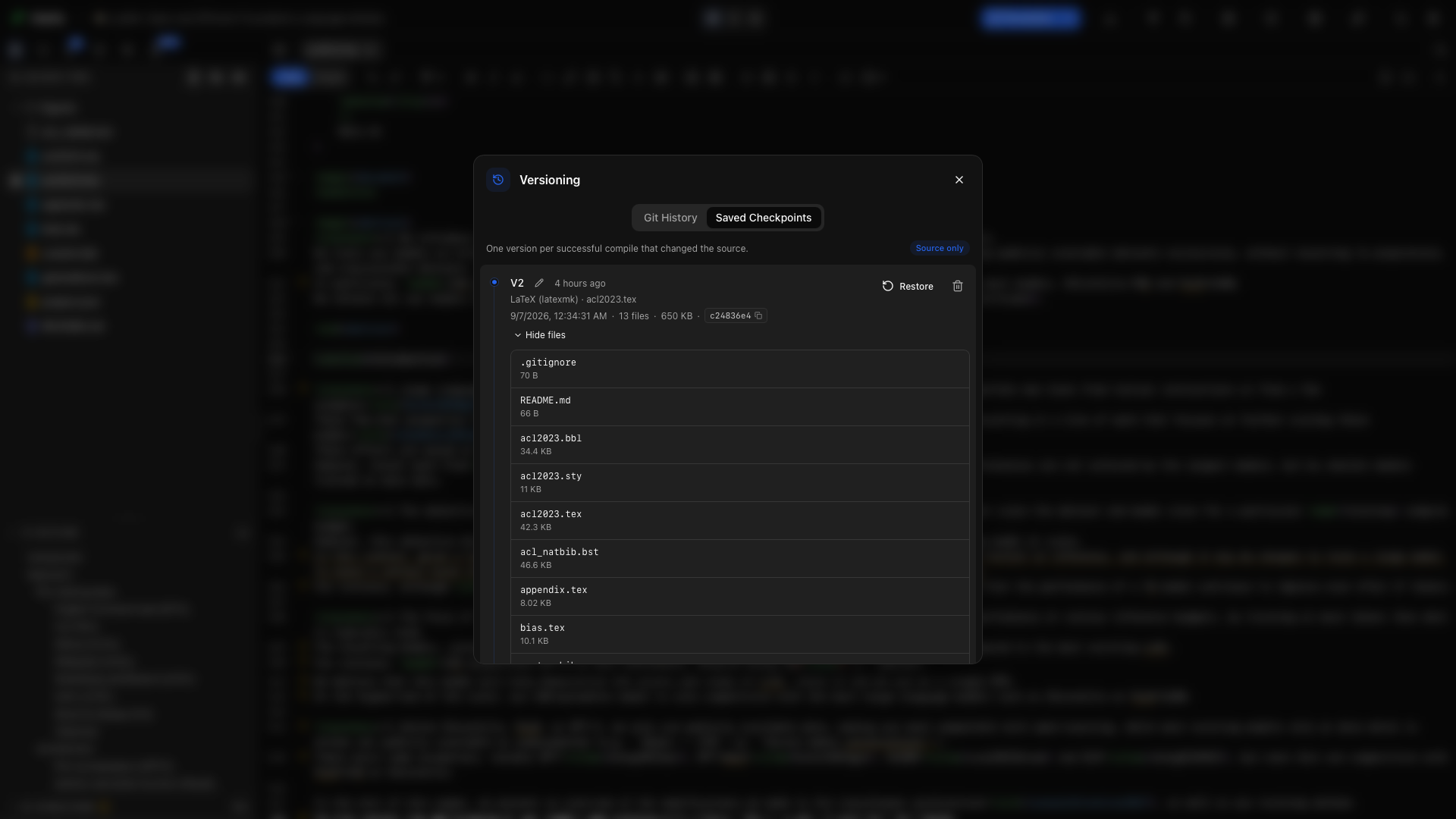
A successful compile can save a checkpoint of your project folder. When a revision goes in the wrong direction, open Versioning → Saved Checkpoints and return to an earlier snapshot.
How checkpoints are saved
Section titled “How checkpoints are saved”With automatic checkpoints enabled, Oleafly saves in the background after a successful compile when the project has changed. Repeated unchanged builds do not add duplicate versions.
Checkpoints are separate from Git. You do not need to stage files or write a commit message. They cover every document engine.
Browse a version
Section titled “Browse a version”The timeline shows the version, time, engine, main document, file count, and stored size. Expand an entry to inspect its files. Add a label such as Submitted draft or Before methods revision to make a version easier to recognize.
Restore
Section titled “Restore”Choose Restore on the checkpoint you want. Oleafly writes the captured files back over the current copies and brings back captured files that you later deleted. Files created after that checkpoint remain in the project.
The snapshot excludes build caches, Git, app metadata directories, and supported generated dependency folders. Restoring a checkpoint does not move a Git branch.
Take history with you
Section titled “Take history with you”The timeline’s Advanced section can export or import a password-encrypted archive of the checkpoint history. Keep the password somewhere you can recover it; Oleafly does not store it.
Checkpoint history lives outside the manuscript folder. A source ZIP or Git push carries the source, not this separate history archive.
Manage storage
Section titled “Manage storage”Delete individual checkpoints, keep the latest versions, or reset history from the Versioning window. Settings → Data Storage → Local store controls automatic checkpoints and storage notices.
Moving a project to the Recycle Bin keeps its history recoverable. Permanently deleting the project removes its checkpoint history. A duplicated project starts a new checkpoint history.