


ملصق بحثي (صورة)
ملصق بحثي بحجم A0 باستخدام tikzposter مع رأس وكتل مكونة من ثلاثة أعمدة ولوحة نتائج.
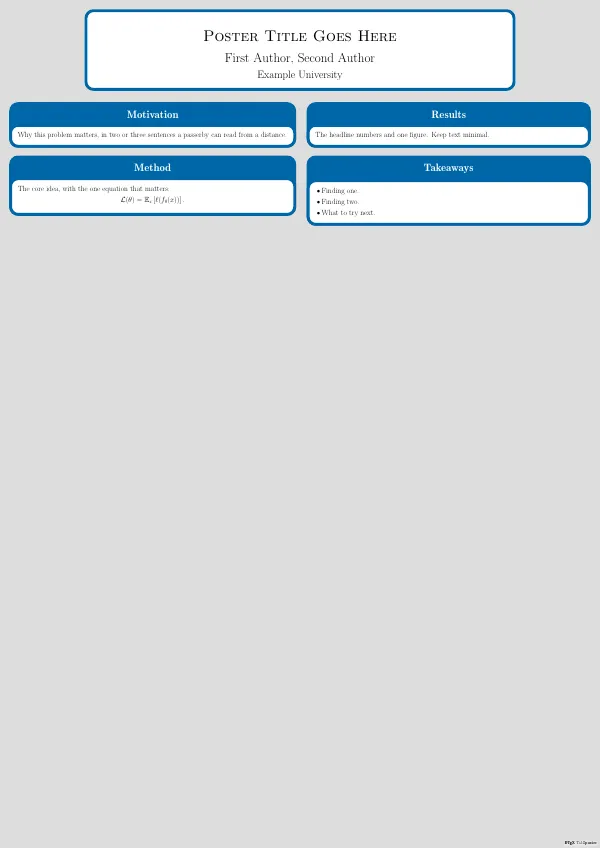
main.tex
\documentclass[25pt,a0paper,portrait]{tikzposter}
\usepackage{amsmath}
\usepackage{amssymb}

\title{Poster Title Goes Here}
\author{First Author, Second Author}
\institute{Example University}

\usetheme{Default}

\begin{document}
\maketitle

\begin{columns}
\column{0.5}
\block{Motivation}{
  Why this problem matters, in two or three sentences a passerby can read
  from a distance.
}
\block{Method}{
  The core idea, with the one equation that matters:
  \[ \mathcal{L}(\theta) = \mathbb{E}_x\left[\ell(f_\theta(x))\right]. \]
}

\column{0.5}
\block{Results}{
  The headline numbers and one figure. Keep text minimal.
}
\block{Takeaways}{
  \begin{itemize}
    \item Finding one.
    \item Finding two.
    \item What to try next.
  \end{itemize}
}
\end{columns}

\end{document}
في التطبيق: افتح معرض المشروع الجديد، وقم بتثبيت حزمة {التسمية}. ضمن "الحصول على المزيد من القوالب"، وسيظهر هذا القالب مع معاينة مباشرة وإنشاء مشروع بنقرة واحدة. يتم تشغيل التجميع محليًا على المحرك المجمع.