


Elsevier 2단 기사
Elsevier 저널 기사(elsarticle, 3p 2열)로 머리말, 하이라이트, 번호가 매겨진 참고문헌이 포함되어 있습니다.
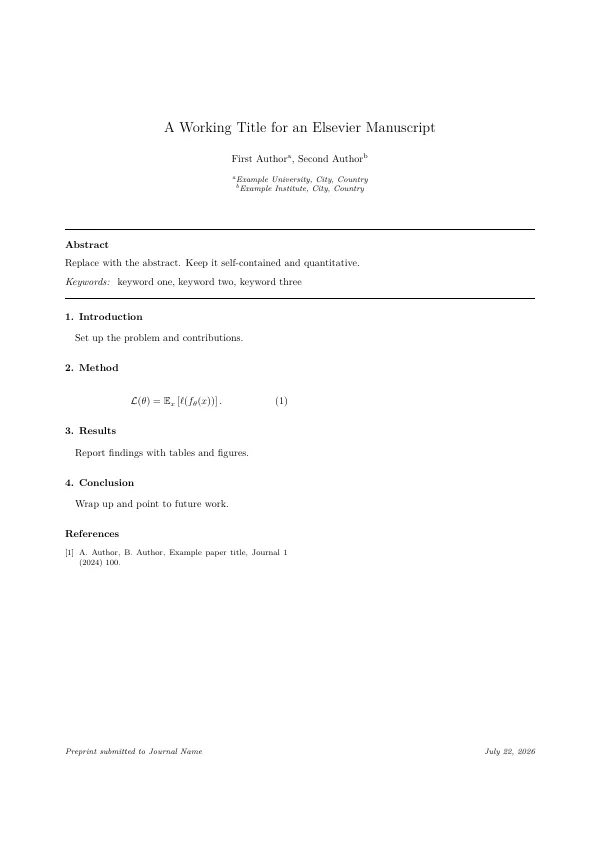
main.tex
\documentclass[3p,twocolumn]{elsarticle}
\usepackage{amsmath,amssymb}
\usepackage{graphicx}
\usepackage{hyperref}

\journal{Journal Name}

\begin{document}

\begin{frontmatter}
\title{A Working Title for an Elsevier Manuscript}
\author[a]{First Author}
\author[b]{Second Author}
\affiliation[a]{organization={Example University}, city={City}, country={Country}}
\affiliation[b]{organization={Example Institute}, city={City}, country={Country}}

\begin{abstract}
Replace with the abstract. Keep it self-contained and quantitative.
\end{abstract}

\begin{keyword}
keyword one \sep keyword two \sep keyword three
\end{keyword}
\end{frontmatter}

\section{Introduction}
Set up the problem and contributions.

\section{Method}
\begin{equation}
  \mathcal{L}(\theta) = \mathbb{E}_{x}\left[\ell(f_\theta(x))\right].
\end{equation}

\section{Results}
Report findings with tables and figures.

\section{Conclusion}
Wrap up and point to future work.

\begin{thebibliography}{9}
\bibitem{example2024} A. Author, B. Author, Example paper title, Journal 1 (2024) 100.
\end{thebibliography}

\end{document}
앱에서: 새 프로젝트 갤러리를 열고 "템플릿 더 받기"에서 저널 및 컨퍼런스 수업 팩을(를) 설치하면 실시간 미리보기와 원클릭 생성이 됩니다. 컴파일은 번들 엔진으로 로컬 실행됩니다.